


1. Click on the Settings icon on your home screen.
2. Click on the WiFi icon.
3. eduroam should be listed on the network settings.
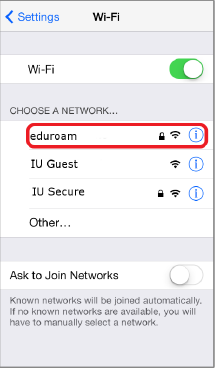
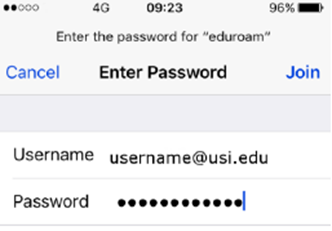
4. You will be prompted to enter a username and password.
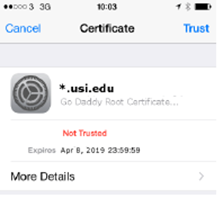
5. You will be prompted to add a certificate to your device. This certificate is used during the authentication process when connecting to eduroam. Click the Trust button in the top right corner.
6. Your device should now be connected to eduroam.