Instructions for viewing invoices in Finance Self Service:
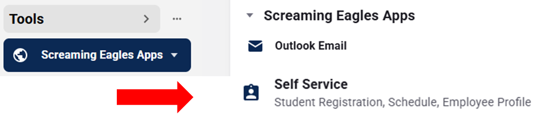
Start by accessing myUSI from the top right corner of the USI website, then choose Self Service from the Tools menu:
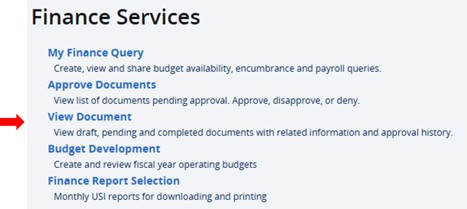
Click on the Finance (New!) tab, then choose View Document from the Finance Services menu:
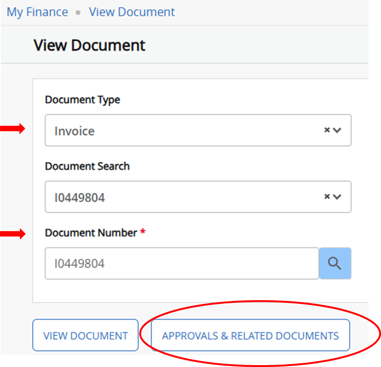
In the following menu, choose Invoice for the document type, input the invoice number in the Document Number field, then click on the Approvals & Related Documents button:
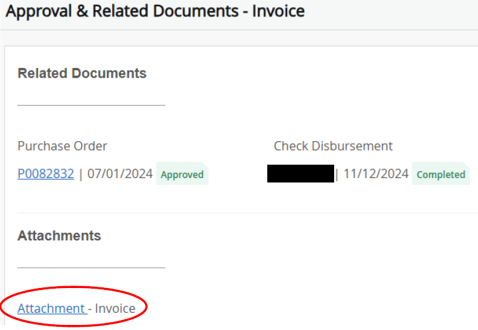
From here, you can click on the Attachment link to pull up the image of the invoice document (Note - if you receive an error message in the newly opened invoice window, close the window and click on the attachment link again):